

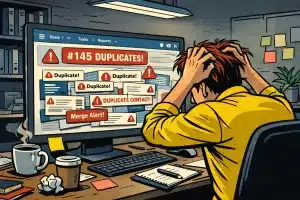
Duplicate contacts in HubSpot are more than just a nuisance – they undermine your sales pipeline visibility, skew reporting, dilute attribution accuracy, and frustrate your teams. For businesses using HubSpot or Pipedrive, unresolved HubSpot duplicate contacts lead to wasted sales efforts, missed revenue opportunities, and poor customer experiences.
In this guide, we’ll explore practical steps to identify, manage, and prevent HubSpot duplicate contacts while improving overall CRM data quality. We’ll also highlight how EazyMatch AI can help automate and simplify this ongoing challenge.
Common Causes of Duplicate Contacts in HubSpot
Understanding how duplicates enter your CRM is essential to prevent them:
-
Multiple data entry points – Sales, marketing, and customer service teams adding contacts independently.
-
Lead imports without validation – Bulk imports from spreadsheets or third‑party tools lacking duplicate checks.
-
Integration sync issues – Poorly configured integrations between HubSpot, Pipedrive, and other systems creating duplicate records.
-
Inconsistent data formatting – Variations in names, email addresses, or company details that fail to trigger duplicate detection.
-
Manual merging errors – Incorrect or incomplete merges that leave residual duplicates.
The True Cost of HubSpot Duplicate Contacts
| Area Affected | Business Impact |
|---|---|
| Reporting & Analytics | Skewed metrics lead to poor strategic decisions |
| Sales Efficiency | Duplicates cause redundant outreach and lost time |
| Marketing ROI | Attribution errors lead to wasted ad spend |
| Customer Experience | Confusing communications damage trust and loyalty |
| Automation | Faulty workflows create inefficiencies and errors |
UK‑Style Examples of Duplicate Contact Issues and Resolutions
Example 1 – Manufacturing firm in London
A London‑based manufacturing company found multiple “Jon Smith” contacts with different email domains, but the same phone number. Using EazyMatch AI, they merged these records, improving pipeline visibility and reducing duplicate outreach by 35%.
Example 2 – Regional financial services firm
A regional financial services firm had inconsistent job titles like “Sales Manager,” “Sales mgr,” and “Sales Mngr.” EazyMatch AI’s job title standardisation feature harmonised these variations, enhancing segmentation for targeted marketing campaigns.
Risks of Poor CRM Data Quality
Poor data hygiene leads to:
-
Lost revenue – Missed sales due to duplicated or incomplete contacts.
-
Damaged brand reputation – Confused or annoyed customers.
-
Wasted resources – Time spent cleaning data retroactively or chasing outdated leads.
-
Compliance risks – Inaccurate data affecting GDPR obligations and reporting.
-
Ineffective automation – Faulty workflows that disrupt sales and marketing operations.
How EazyMatch AI Supports HubSpot Data Cleaning
EazyMatch AI integrates directly with HubSpot and Pipedrive, offering:
-
AI‑driven duplicate detection beyond exact matches.
-
Automated merging or deletion of duplicate accounts and HubSpot duplicate contacts.
-
CRM data quality scoring for continuous improvement.
-
Identification of missing data and automatic enrichment.
-
Job title standardisation tailored to UK English.
-
Management of open tasks linked to duplicate contacts.
Book a demo today to see how EazyMatch AI can help your organisation maintain a clean, reliable CRM that drives better sales and marketing outcomes.