The moment a sales rep realises they have been working two records for the same prospect — sending emails to one, logging calls on the other — the first instinct is to merge and move on. The second instinct is to stop and ask: what happens to the deal history?
It is a reasonable concern. Merge the wrong record in Pipedrive, and you risk losing attached deals, notes, or activity logs that live on the record you delete. Done carelessly, a cleanup effort can create more damage than the duplicates it was meant to fix.
This guide covers how to remove duplicates in Pipedrive properly — including what the native tools can and cannot do, and why most Pipedrive portals contain duplicates that the built-in merge will never surface.
What Pipedrive's Native Duplicate Detection Actually Does
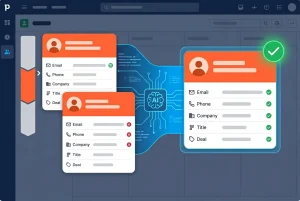
Pipedrive does include a duplicate detection feature. You can access it under **Contacts → Duplicates** in your portal. It presents suspected duplicate pairs side by side, and you can choose to merge or dismiss each one.
The limitation is significant: Pipedrive's default duplicate detection matches primarily on **exact or near-exact name and organisation combinations**. It does not cross-reference email addresses against LinkedIn URLs. It does not identify contacts where one record has a mobile number, and the other has a work email, but both belong to the same person.
This means the native tool surfaces a useful but incomplete picture. The straightforward duplicates — two records for "James Kelly at TechCorp" entered twice by different reps — get caught. The subtler ones do not.
The Pipedrive Duplicate That Never Gets Flagged
Here is a pattern that appears in almost every active Pipedrive portal:
**Record A**
- Name: Emma Clarke
- Email: [email protected]
- Company: Bright Ventures
- LinkedIn URL: *(blank)*
- Mobile: *(blank)*
**Record B**
- Name: E. Clarke
- Email: *(blank)*
- Company: Bright Ventures
- LinkedIn URL: linkedin.com/in/emmaclarke
- Mobile: +44 7911 123456
These are the same person. They share a company and a recognisable variant of the name. One record came in through a form submission; the other was entered manually by a rep who found the contact on LinkedIn.
Pipedrive will not flag these as duplicates. There is no shared email, and the name is abbreviated on one record. They sit in your database as two separate contacts — one owned by marketing, one by sales — with deals, notes, and activities split across both.
This is not an edge case. It is a structural consequence of how contacts enter CRMs: through multiple channels, at different times, by different people.
What Happens to Deal History When You Merge in Pipedrive
Before any merge, it is worth understanding how Pipedrive handles attached data.
When you merge two contacts in Pipedrive, the platform retains the data from the **primary record** you designate and discards the duplicate. Activities, notes, deals, and emails attached to the duplicate record are reassigned to the primary — but only if they are not already present on the primary. In practice, there are edge cases where activity history from the merged record does not carry over cleanly, particularly with older call logs or integrations.
This is why merging carelessly — especially in bulk — carries risk. You want to be confident that the record is the primary one and that no deal data is left behind in the process.
How EazyMatch AI Handles Pipedrive Deduplication
EazyMatch AI connects directly to Pipedrive and runs multi-field matching across your full contact database. Rather than checking a single identifier, it matches across:
- **Email address** — including cases where addresses differ but belong to the same person
- **Similar name within the same company** — catches abbreviated names, middle initials, and informal name variants
- **Partial name match** — surfaces records where the same person has been entered differently across time
- **LinkedIn URL** — the most reliable professional identifier available; two records sharing a LinkedIn URL are the same person
- **Mobile number** — flags records where the same mobile number appears against two separate contacts
For **companies**, EazyMatch AI checks against LinkedIn company URL and website domain — so "Bright Ventures Ltd" and "Bright Ventures" entered separately are identified as the same organisation.
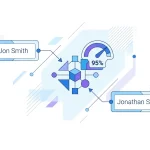
Going back to Emma Clarke: EazyMatch AI would surface Record A and Record B immediately — matched on company, name variant, and LinkedIn URL. The pair is presented for your review with confidence scoring and the matched fields highlighted, so you know exactly why the flag was raised.
The Review Step: Why No Merge Happens Without You
EazyMatch AI does not automatically merge anything. Every suggested pair goes through a review queue where you can see the matched fields, assess the confidence score, and make the call.
This matters for deal history specifically. When you approve a merge in EazyMatch AI, the system handles the consolidation in Pipedrive in a controlled way — retaining attached deals, notes, and activities from both records before closing the duplicate. Nothing is discarded without your sign-off.
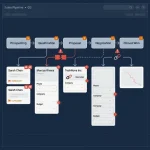
**Step 1 — Connect Pipedrive**
Authorise EazyMatch AI to access your Pipedrive portal. Setup takes minutes and requires no technical configuration.
**Step 2 — Run checks**
EazyMatch AI scans your contact and company database, applying multi-field AI matching across every record.
**Step 3 — Review suggestions**
Work through flagged pairs individually or in bulk. Each pair shows you the matched fields and a confidence score.
**Step 4 — Approve updates**
Approved merges are applied to Pipedrive. Unapproved suggestions are dismissed or deferred. Your CRM only changes when you say so.
Try EazyMatch AI free. Connect your Pipedrive portal and see your full duplicate picture in minutes.
Beyond Duplicate Contacts: Other Data Quality Issues EazyMatch Flags
Duplicate contacts are the most visible data quality problem in Pipedrive, but they rarely travel alone. EazyMatch AI also surfaces:
- **Incomplete contacts** — records missing key fields like email, mobile, or LinkedIn URL
- **Data quality scores** — each contact is scored so you can see where your database is weakest
- **Job title inconsistencies** — normalises variations like "Sales Director" and "Director of Sales" so your filters and segments work correctly
- **GDPR / retention flags** — surfaces records that may need review under your data retention policy
FAQ
Q: Will merging duplicates in Pipedrive delete my deal history?
Yes. EazyMatch AI runs separate checks for contacts and companies. Company duplicates are matched on LinkedIn company URL and website domain — catching organisations entered under slightly different names or legal entities that share a domain.
Q: Does EazyMatch AI support Pipedrive and HubSpot?
Yes — EazyMatch AI connects directly to both HubSpot and Pipedrive. The same multi-field matching logic applies to both CRMs. You can run checks on either or both portals from the same EazyMatch AI account.
Clean Data, Intact History
Removing duplicates in Pipedrive is not just about reducing record count. It is about consolidating fragmented data — deals split across two contacts, notes logged against the wrong record, and activity history that tells half the story.
The native Pipedrive merge tool handles the obvious cases. EazyMatch AI finds the rest — and makes sure nothing is lost when you clean them up.
Connect your Pipedrive portal and run your first duplicate scan in minutes. No credit card required.