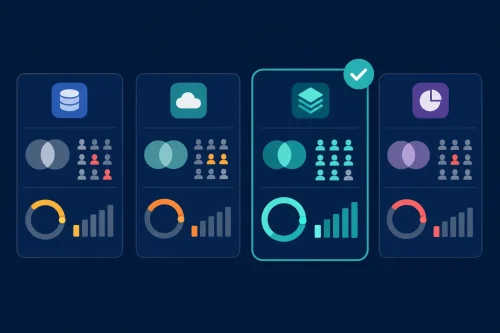



In the fast-paced UK business landscape, finance leaders are inundated with data from ERPs, transactional databases, cloud platforms, and endless spreadsheets. The real challenge isn’t collecting data—it’s transforming it into actionable intelligence that drives faster, smarter decisions. Traditional reporting tools often create bottlenecks, leaving finance teams struggling for agility.
For CFOs and Finance Directors looking to harness the power of their financial data, Microsoft Power BI business intelligence offers a scalable, integrative solution. But selecting the right platform isn’t just about features—it’s about aligning technology with strategic goals, existing infrastructure, and measurable business value, all while mitigating risk.
This guide will walk you through the key considerations, licensing models, implementation best practices, and real-world examples to help you confidently choose Microsoft Power BI for your organisation.
Why Microsoft Power BI Business Intelligence is a Game-Changer for UK Finance
Power BI isn’t just another dashboard tool. It’s an end-to-end business intelligence platform that integrates seamlessly with the Microsoft ecosystem—including Azure, Dynamics 365, and Office 365—making it a natural fit for UK businesses already using Microsoft solutions. Its ability to unify data sources, provide real-time insights, and enable self-service analytics empowers finance teams to move from retrospective reporting to proactive forecasting.
Key Considerations for UK Finance Leaders When Selecting Power BI
1. Licensing Options & Cost Implications
Choosing the right licensing model is critical for cost control and scalability:
-
Power BI Pro (~£7.50/user/month): Ideal for departmental use, supporting collaboration, publishing, and sharing.
-
Power BI Premium (from ~£4,200/month/capacity): An enterprise-grade solution offering advanced AI, larger data volumes, and enhanced performance without per-user licenses for viewers.
Tip: A hybrid “Pro + Premium” model is common, giving creators Pro licenses while distributing reports widely via Premium capacity.
2. Compatibility with Your Data Ecosystem
Power BI boasts robust connectivity to hundreds of data sources. For UK finance teams, key connectors include:
-
ERP Systems: SAP, Sage (Intacct, 50, 200), Oracle Netsuite
-
Microsoft Stack: Dynamics 365 Finance, Azure SQL, Excel
-
Databases & Data Warehouses: SQL Server, Snowflake, Amazon Redshift
Ensure your core systems are supported to avoid complex, costly workarounds.
3. Data Security & Governance – A UK Imperative
With stringent UK GDPR regulations, governance is non-negotiable. Power BI provides row-level security, encryption, and audit logs. However, a company-wide governance framework is essential—defining data ownership, user permissions, and compliance protocols to protect sensitive financial information.
4. Driving User Adoption Across Finance Teams
Technology is only as good as its usage. Foster a data-driven culture by:
-
Identifying “BI Champions” within finance and FP&A teams.
-
Providing role-specific training (e.g., dashboard consumption for executives vs. report building for analysts).
-
Starting with high-impact use cases like monthly close dashboards or real-time cash flow tracking.
5. Scalability for Future Growth
Your data needs will evolve. Power BI Premium offers features like incremental data refresh, AI-powered insights, and dedicated cloud capacity to ensure performance remains high as data volume and user numbers grow.
Common Implementation Pitfalls & How to Avoid Them
-
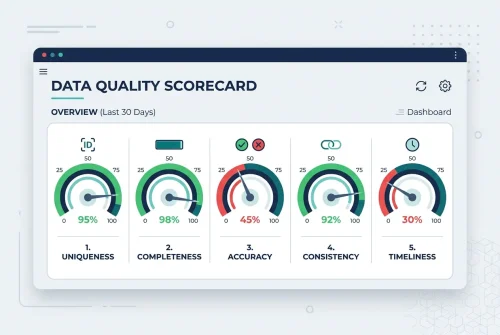
Poor Data Quality: “Garbage in, garbage out.” Conduct a thorough data audit and cleansing before building a single dashboard.
-
Over-Customisation: Avoid overly complex reports packed with custom visuals. Prioritise clarity, performance, and user needs.
-
Weak Governance: Implement security policies from day one to prevent unauthorised access to sensitive financials.
-
User Resistance: Communicate the “why” clearly and demonstrate immediate value to secure buy-in.
Power BI in Action: Real-World UK Finance Case Studies
Case Study 1: Mid-Sized Engineering Firm
-
Challenge: Disparate legacy systems slowed monthly reporting.
-
Solution: Implemented Power BI Premium to unify project and financial data.
-
Result: 50% faster monthly close and real-time project profitability tracking, with full GDPR compliance.
Case Study 2: London-Based Insurance Provider
-
Challenge: Forecasting was manual, slow, and error-prone.
-
Solution: Integrated Power BI with Azure Synapse and Dynamics 365 Finance.
-
Result: FP&A team reduced forecasting time by 35% using self-service dashboards, improving risk modelling accuracy.
Case Study 3: National Retail Chain
-
Challenge: Lack of a unified view of sales, inventory, and finance.
-
Solution: Deployed Power BI dashboards for the CFO and store managers.
-
Result: Real-time margin analysis enabled dynamic pricing, boosting profitability. Store manager training drove widespread adoption.
Your 8-Step Implementation Roadmap
| Step | Action | Key Outcome |
|---|---|---|
| 1. Define Goals | Align BI objectives with finance strategy (e.g., faster reporting, better forecasting). | Clear success metrics and stakeholder buy-in. |
| 2. Audit Data | Catalogue sources, assess quality, and plan integration. | A clean, reliable data foundation. |
| 3. Evaluate Licensing | Choose the right mix of Pro and Premium based on users and data needs. | Cost-effective, scalable licensing. |
| 4. Establish Governance | Set security, access, and compliance policies (align with UK GDPR). | Controlled, secure data environment. |
| 5. Engage Stakeholders | Involve finance, IT, and business units from the start. | Cross-functional support and champions. |
| 6. Develop Dashboards | Build user-centric reports focused on key KPIs. | Actionable insights for decision-makers. |
| 7. Train & Rollout | Deliver phased training tailored to different user roles. | High adoption and reduced IT dependency. |
| 8. Iterate & Optimise | Monitor usage, gather feedback, and enhance reports. | Continuous improvement and sustained value. |
Conclusion: Power BI as a Strategic Finance Asset
For UK finance executives, Microsoft Power BI business intelligence is more than a tool—it’s a strategic asset that transforms data into decisive action. By carefully considering licensing, governance, integration, and culture, you can deploy a solution that not only streamlines reporting but also provides the predictive insights needed to navigate economic uncertainty and drive growth.
The journey begins with a single, well-defined use case. Start small, demonstrate value, and scale confidently.
Ready to explore how Microsoft Power BI can transform your finance function?
Further Reading: