Searching for a Dedupely alternative usually starts with the same moment: the dedup tool runs, it finds some duplicates, you clean them, and three months later, the problem is back. Or you run the scan and the obvious duplicates get flagged, but you know your database well enough to see that a significant number are still sitting there untouched.
Dedupely is a well-known tool in the HubSpot and Pipedrive ecosystem. For teams with straightforward duplicate profiles — contacts that share an email address and need merging — it does the job. But for RevOps and sales ops teams managing larger databases or portals where data enters from multiple sources at once, the gaps become harder to ignore.
This post looks at what drives teams to search for a Dedupely alternative and what EazyMatch AI offers to address those limitations.
What Dedupely Does Well
Dedupely is focused on deduplication for HubSpot and Pipedrive. It surfaces suspected duplicate contacts and companies, lets you review pairs, and applies merges. For teams whose duplicate problem is primarily driven by contacts being entered twice using the same email address, it handles that use case reliably.
The value is the simplicity: connect your CRM, run a check, and work through the queue. If your data entry is clean and email-centric, Dedupely gets the job done.
Why Teams Look for a Dedupely Alternative
The limitations that drive teams to look elsewhere tend to fall into the same categories.
Matching that requires manual rule configuration
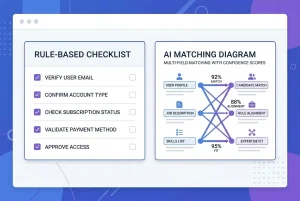
Dedupely gives you control over your matching setup — you choose which fields to compare and what match type to apply (exact, similar, fuzzy/phonetic). For teams with a clear picture of what their duplicates look like, that works well.The challenge is that duplicates do not always follow predictable patterns. A contact entered via a web form — with an email address but no LinkedIn URL — and the same person added manually by a rep who found them on LinkedIn — with a LinkedIn URL but no email — may share only a name variant and a company. To catch that pair in Dedupely, you need to have already configured matching rules that cover that specific combination. If those rules are not in place, the pair goes undetected.
This is exactly the class of duplicate that straightforward matching setups miss - and it is a predictable consequence of how contacts enter CRMs through multiple channels at once.
No broader data quality insight
Deduplication is one data quality problem. Most active CRM portals have several running in parallel. Incomplete contact records, inconsistent job titles, contacts missing LinkedIn URLs, and records that should be flagged for GDPR review — these issues live alongside duplicates and drive the same reporting and automation failures.
A deduplication-only tool reduces the number of duplicates. It does not tell you anything about the quality of the remaining records or what else in your database is silently undermining your pipeline.
Scaling costs
As databases grow, the economics of specialist single-purpose tools can shift. Teams managing larger portals, or agencies running deduplication across multiple client CRMs, often find that the per-record or subscription cost of a dedicated dedup tool is harder to justify when broader data quality issues are going unaddressed.
What EazyMatch AI Does Differently
EazyMatch AI was built with a broader remit than deduplication alone — and its approach to the deduplication problem itself is different.
Multi-field AI matching — no rule setup required
EazyMatch AI evaluates all available signals simultaneously without requiring any manual rule configuration:
- Email address - including cases where addresses differ but belong to the same person
- Similar name within the same company - name variants at the same organisation are a strong duplicate signal
- Partial name match - catches abbreviations, middle initials, and informal name variants
- LinkedIn URL - a unique professional identifier; two records sharing a LinkedIn URL are the same person, regardless of whether emails match
- Mobile number - highly stable identifiers that rarely change or get shared between contacts
For companies, EazyMatch AI matches on LinkedIn company URL and website domain.
The key distinction is how signals are combined. EazyMatch AI weighs all fields together as a single AI assessment — a contact pair with a similar name, matching company, and a LinkedIn URL on one record, but not the other, gets flagged with high confidence based on the combination of those signals. There is no rule to configure first.
Dedupely's fuzzy matching uses a phonetic algorithm — useful for catching names that sound alike but are spelt differently. Its own documentation describes this as the most aggressive match type and notes it should not be relied on for accuracy alone. EazyMatch AI's approach is probabilistic and multi-signal: it reasons about the full picture of each record pair, not individual fields in isolation.
Broader data quality features
Beyond deduplication, EazyMatch AI runs checks across your full contact and company database:
- Missing data detection - flags contacts with incomplete profiles: no email, no LinkedIn URL, no mobile
- Data quality scoring - scores each contact and company so you can see where your database is weakest at a glance
- Job title standardisation — normalises variations like "VP Sales", "VP of Sales", and "Vice President, Sales" so your list filters and automation rules work consistently
- ICP checks- surfaces contacts or companies that fall outside your ideal customer profile criteria
- GDPR / data retention flags - identifies records that may need review under your retention policy
Side-by-Side Comparison
| Feature | Dedupely | EazyMatch AI |
|---|---|---|
| Contact deduplication | Yes | Yes |
| Company deduplication | Yes | Yes |
| Matching approach | Configurable field rules — exact, similar, fuzzy/phonetic | Automatic multi-field AI — no rule setup required |
| Catches email-match duplicates | Yes | Yes |
| Catches no-email duplicates | Yes, if matching rules are configured | Yes, automatically using signals such as LinkedIn URL, name and company |
| Confidence scoring | Yes | Yes |
| Human review before CRM changes | Yes | Yes |
| Missing data detection | No | Yes |
| Data quality scoring | No | Yes |
| Job title standardisation | No | Yes |
| ICP checks | No | Yes |
| GDPR / retention flags | No | Yes |
| HubSpot support | Yes | Yes |
| Pipedrive support | Yes | Yes |
The Review Step: Nothing Changes Without You
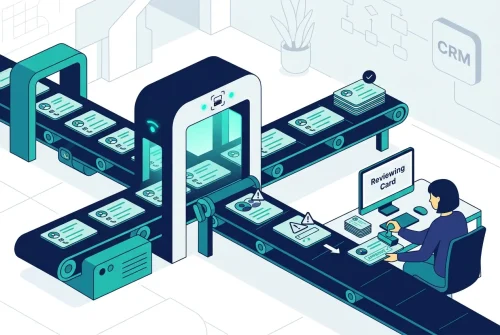
EazyMatch AI does not automatically merge or update anything. Every flagged duplicate pair and data quality issue goes into a review queue. You see the matched fields, the confidence score, and the specific reason the pair was flagged. Changes are only applied to your CRM after you approve them.
This is the same principle Dedupely operates on — human review before any CRM change. The difference is in what gets surfaced for review in the first place.
FAQ
Q: Does EazyMatch AI support the same CRMs as Dedupely?
EazyMatch AI connects directly to HubSpot and Pipedrive. If you are currently using Dedupely with either CRM, you can connect EazyMatch AI to the same portal without any migration or re-setup.
Will EazyMatch AI surface duplicates that Dedupely missed?
In many cases, yes — particularly if you have not manually configured Dedupely's matching rules to cover less obvious duplicate patterns. Dedupely requires you to define which fields to compare and what match type to apply; pairs that fall outside those configured rules are not surfaced. EazyMatch AI evaluates all signals automatically and flags pairs where the combined signals indicate a high-confidence match, without any rule setup. Running a scan after switching will often surface additional pairs that were not caught under a previous configuration.
How long does an initial scan take?
For most HubSpot or Pipedrive portals, an initial scan takes a few minutes. Larger databases may take longer. You receive a review queue of flagged pairs once the scan is complete — no setup beyond connecting your CRM is required.
More Than a Dedup Tool
If Dedupely is meeting your deduplication needs, you may not need a Dedupely alternative. But if you are finding duplicates coming back, or if deduplication is one part of a broader CRM data quality problem you are trying to solve, EazyMatch AI addresses the full picture. For a deeper feature-by-feature and pricing comparison, see the detailed 2026 Dedupely alternative comparison
Connect your HubSpot or Pipedrive portal to see the complete picture of duplicates and data quality. No credit card required.