
Pipedrive Data Quality Audit
Nobody schedules time to check the quality of Pipedrive data. It sits low on the priority list until a rep flags a duplicate lead, a forecast comes in wrong, or a merger forces the issue. By then, the problem has usually been building for a year or more, and the size of it is a surprise to everyone.
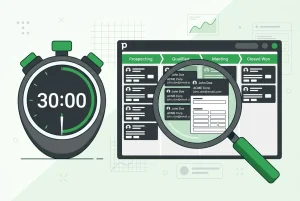
You do not need a multi-week project to find out where you stand. A focused Pipedrive data quality audit, run in about 30 minutes, will surface the biggest issues in your account and give you a clear list of what to fix first. Here is how to run one.
How to Audit Pipedrive Data Quality in 30 Minutes
Minutes 0–10: Check for duplicate contacts and organisations. Export your contacts and sort by company name, not just email — this surfaces near-matches that an exact-email sort will hide. Do the same for organisations, looking for variants like "Acme Ltd" and "Acme Limited." Note the pattern, not just the count: are duplicates coming from a specific import, integration, or lead source?
Minutes 10–20: Check for gaps in key fields. Filter contacts missing email, phone, or an organisation link. These are the records your outreach tools and reporting quietly skip. Do the same for deals missing a value, close date, or owner — each one distorts your pipeline total or your forecast by an amount you cannot currently see.
Minutes 20–30: Check for stale and orphaned records. Look for deals that have not moved stage in 90+ days, and contacts with no activity logged since they were created. These often trace back to the same root cause as the duplicates and gaps: records entered once and never revisited.
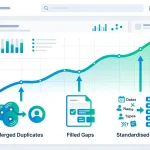
At the end of 30 minutes, you will have three lists — duplicates, gaps, stale records — and a rough sense of where each one is coming from. That is enough to prioritise a fix without needing to audit the entire database by hand.
Why Pipedrive's Native Tools Miss Most of This
Pipedrive's built-in duplicate detection matches on exact email address only. It catches the easy cases and misses the ones that actually cause problems: a contact entered once with an email and again from a LinkedIn import without an email, or an organisation typed slightly differently by two reps. None of that shows up in a native scan, which is why a manual audit — or a tool built to catch it — still matters even in an account that looks clean at a glance.
This is also why a one-time audit is not a permanent fix. New duplicates, gaps, and stale records enter the same way the old ones did — through imports, integrations, and manual entry — so Pipedrive data quality drifts again within a few months unless something is checking on an ongoing basis.
Fixing What the Audit Finds
Once you have your three lists, work in this order: duplicates first, since they inflate every other number you look at; gaps second, since they break the automations and segments built on those fields; stale records last, since they are lower urgency and mostly affect forecast accuracy rather than day-to-day operations.
For a small account, this can be done manually. Past a few thousand contacts, matching on more than exact email by hand becomes impractical, which is where a dedicated tool changes the math.
Running This Audit With EazyMatch AI
EazyMatch AI connects to Pipedrive and automatically runs the same audit described above across your entire database, rather than requiring a manual export.
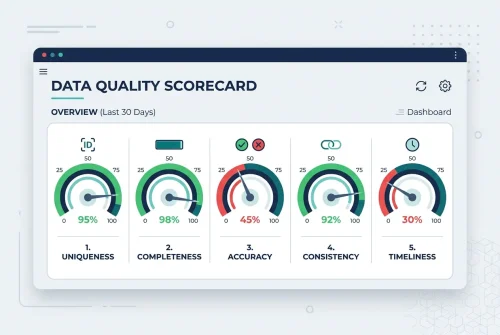
Duplicate detection uses multi-field AI matching across email addresses, similar names within the same company, partial name matches, LinkedIn URLs, and mobile numbers for contacts, and LinkedIn company URLs and website domains for organisations. That means the exact case Pipedrive's native tool misses — one record with an email, a second record with a LinkedIn URL and no email, both the same person — gets caught and queued for review. Missing data detection flags incomplete contacts and deals, and a data quality score provides a baseline for tracking improvement.
Nothing merges or updates automatically. Every suggestion is reviewed and approved by a person before it syncs back to Pipedrive.
Step 1: Connect your Pipedrive account
Step 2: Run checks across contacts and organisations
Step 3: Review the queue of duplicates, gaps, and inconsistencies
Step 4: Approve updates, which only apply once you sign off
Try EazyMatch AI free →
Get a full Pipedrive data quality audit in less time than it takes to read this post. No credit card required.
FAQ
Q: How often should I audit Pipedrive data quality?
A: A quick manual pass like the one above works well monthly. Accounts with heavy import or integration activity benefit from continuous, automated checks instead, since duplicates and gaps accumulate between manual audits.
Q: What is the fastest thing to fix after an audit?
A: Duplicate contacts and organisations, since they distort every other metric — pipeline value, contact counts, forecast accuracy — until they are merged.
Q: Can this audit be automated instead of run manually every time?
A: Yes. Once you have run a manual audit and understand where your issues come from, a tool like EazyMatch AI can run the same checks continuously so the same problems do not resurface.
Make This the Last Manual Audit You Run
A 30-minute Pipedrive data quality audit is enough to see where you stand, but it is a snapshot, not a fix. For the deeper cleanup once duplicates are found, see how to remove duplicates in Pipedrive without losing deal history and the complete guide to merging Pipedrive contacts. If exact-match detection is the reason issues keep slipping through, fuzzy matching explains why.
Try EazyMatch AI free →
Turn a one-time audit into an ongoing check. No credit card required.