
HubSpot Job Change Tracking Explained
A HubSpot contact record is a snapshot. It shows who someone was, where they worked and what their title was on the day the record was created or last updated. People do not stay in that snapshot. They get promoted, move teams, change companies and leave the industry, and the record carries on as if nothing happened.
The result is a portal full of contacts who look complete and are quietly wrong. This post explains why HubSpot job change tracking is a data quality job, what it costs to skip it, and how to find the contacts in your portal who have moved on.
How Often Your Contacts Change Jobs
Job moves are not rare events. The US Bureau of Labor Statistics reported that median tenure with a current employer was 3.9 years in January 2024, the lowest since 2002 (BLS, Employee Tenure in 2024). For workers aged 25 to 34, median tenure was 2.7 years.
The roles B2B teams sell to move faster than most. Median tenure in sales and related occupations was 3.3 years (BLS). The Bridge Group's 2025 SDR Metrics Report, covering 351 B2B companies, put average SDR tenure at 1.9 years. Spencer Stuart's 2025 CMO Tenure Study found average Fortune 500 CMO tenure of 4.3 years.
Put simply: a contact database built over several years contains a meaningful number of people who are no longer where the CRM says they are, and nothing inside the CRM tells you which ones.
Why HubSpot Does Not Catch Leavers on Its Own
HubSpot updates a contact when something writes to it: a form submission, an import, an integration, an enrichment tool or a person. When someone simply leaves a company, none of those things happen. Their record stays as it was.
The signals you do get arrive late and indirectly:
- A hard bounce. Their old work email stops accepting mail, HubSpot records the bounce and stops sending marketing email to that address. The record still says they work there.
- A rep finds out on a call. The update depends on that rep remembering to change the record.
- A new record appears. The person signs up from their new company with a new email, and HubSpot creates a second contact. Now you have two records and the old one is still wrong.
HubSpot's deduplication tools will not help either. They compare records against each other, not against the outside world, so an outdated record with no duplicate looks perfectly healthy.
What Outdated Contacts Cost
This is a data quality problem first. Before anyone thinks about following a contact to their new company, the old record is already causing damage:
- Bounces and sender reputation. Every campaign sent to leavers adds hard bounces.
- Wrong account coverage. An account looks covered because it has a VP of Marketing on record. That person left last year.
- Misrouted leads and tasks. Sequences, renewals and onboarding tasks go to someone who cannot act on them.
- Skewed reporting. Persona and buying committee reports count people who are no longer there.
- GDPR accuracy. Article 5 of the GDPR requires personal data to be accurate and, where necessary, kept up to date. A record that lists the wrong employer is inaccurate. See what to do with contacts who left the company.
For the wider picture of how records drift out of date, see why so many CRM contacts are probably wrong.
Manual HubSpot Job Change Tracking
You can track job changes by hand, and for a small list of key accounts it is worth doing. A practical routine:
- Build an active list of contacts at your top accounts, plus customers' main contacts and champions.
- Add a custom property such as "Employment last verified" with a date.
- Each month or quarter, check the people on that list and record the result.
- Use hard bounces as a trigger: a workflow that creates a task to verify any contact whose email hard bounces.
The limit is obvious. It works for a few hundred contacts. It does not work for twenty thousand, and the contacts you never look at are the ones going stale.
Tools for Job Change Tracking
Several tools track job changes, and most of them are built as sales signal tools. UserGems tracks past customers and champions and alerts sales when they move to a new company. Wiza Monitor tracks contacts you sync from your CRM and alerts you when they change roles. Dropcontact offers company change detection as part of its enrichment for HubSpot and Pipedrive. These are useful if your main goal is pipeline from people who moved. For a side-by-side view, see CRM job change tracking tools compared.
If your main goal is a portal that reflects reality, the question is different: which of my contacts are no longer at the company on their record, and what should the record say now?
EazyMatch AI Employment Check for HubSpot
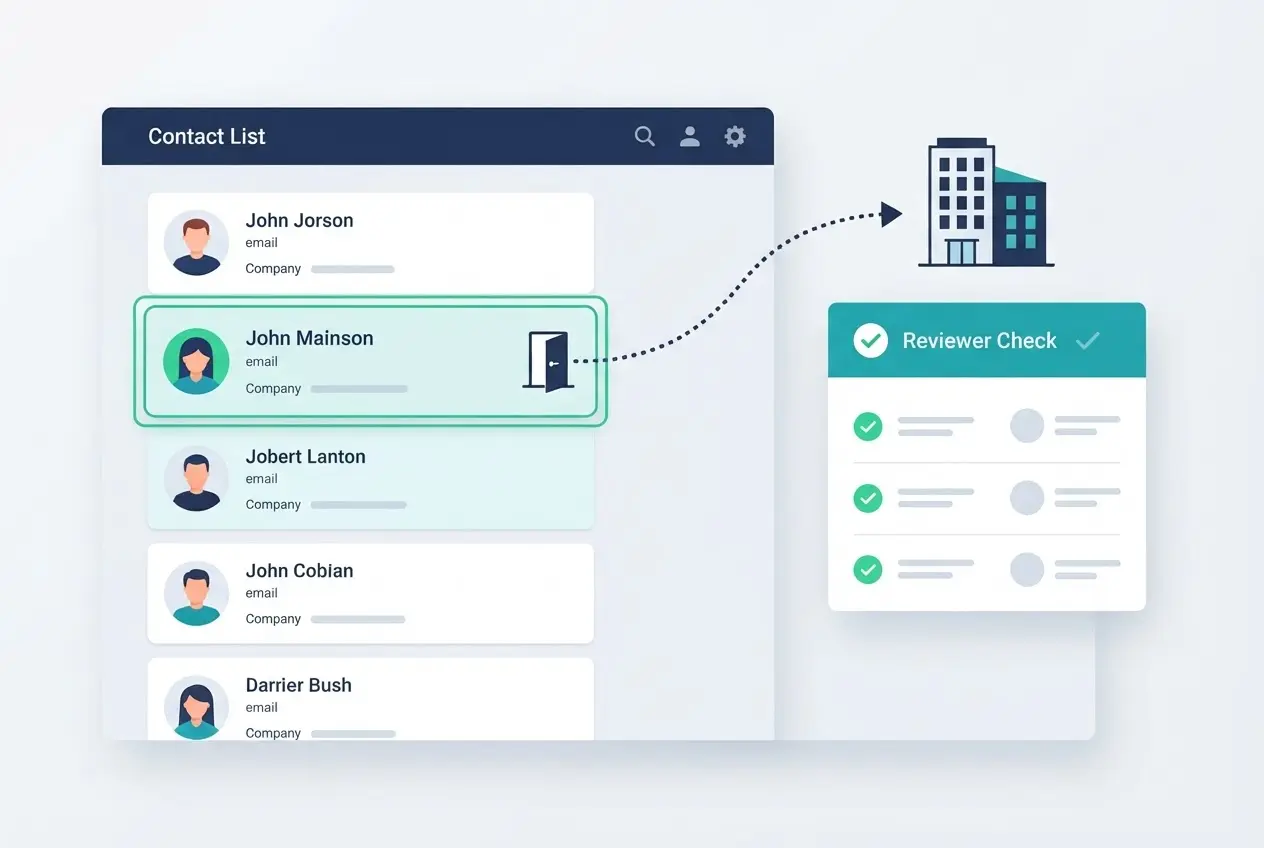
The EazyMatch AI employment check answers that question for your HubSpot portal. It uses AI-powered online research to check whether each contact still works at the company listed in your CRM, and flags the ones who appear to have moved on.
It works the same way as every other check in EazyMatch AI:
- Connect HubSpot. Link your portal to EazyMatch AI.
- Run the employment check across the contacts you choose.
- Review the flagged contacts. See who appears to have left, record by record.
- Approve the updates. Nothing changes in HubSpot until you approve it.
Because it runs alongside duplicate detection, it also deals with the case where a leaver has already come back under a new email. EazyMatch AI matches contacts on email, similar names within the same company, partial names, LinkedIn URL and mobile number, so the old record and the new one can be reviewed together instead of living side by side. The same scan covers missing data, data quality scoring, job title standardisation, ICP checks and GDPR retention flags.
For a step-by-step run-through, see the EazyMatch AI employment check walkthrough.
Try EazyMatch AI free →
Connect HubSpot and see which contacts have moved on.
FAQ
Q: Does HubSpot have built-in job change tracking?
A: HubSpot updates contact properties when a form, import, integration, enrichment tool or user writes to them. A contact leaving their company does not trigger any of those, so leavers usually stay on their old company until someone updates them. Check HubSpot's documentation for what enrichment covers on your subscription.
Q: Is HubSpot job change tracking a sales tool or a data quality tool?
A: It can be both. Sales signal tools focus on following people to new companies. EazyMatch AI's employment check focuses on keeping your existing records accurate: fewer bounces, correct account coverage and data that meets GDPR accuracy requirements.
Q: Will the employment check change my HubSpot records automatically?
A: No. Flagged contacts go into a review step, and only the updates you approve sync back to HubSpot.
Keep the Snapshot Current
Every contact in HubSpot is a picture of a moment, and the moment keeps moving. With median tenure under four years across the US workforce and shorter in sales roles, a portal that never checks employment drifts further from reality every month. HubSpot job change tracking turns that drift into a list you can review, and approval keeps your team in charge of what changes.
Want to talk through how the employment check fits your HubSpot setup?