
EazyMatch AI: The Definitive Guide
Every sales ops and RevOps team knows the moment. A report does not add up. A rep says they have been emailing someone a colleague is already talking to. A campaign bounces more than it should. The cause is almost always the same: the CRM holds the same people more than once, keeps records with gaps, and retains contacts who left the company long ago.
EazyMatch AI finds and fixes those problems in HubSpot and Pipedrive. This guide covers what it does, how it works, who it is for and how to get started, with links to deeper guides on each topic.
The Problem EazyMatch AI Solves
CRMs collect data from many sources: forms, imports, enrichment tools, LinkedIn, events, integrations and manual entry. Each source fills different fields. Over time, that produces three kinds of damage:
- Hidden duplicates. The same person or company stored more than once, often with no field in common.
- Incomplete and inconsistent records. Missing fields, and the same value written ten different ways.
- Outdated records. Contacts that look complete but no longer work at the listed company..
HubSpot and Pipedrive both include native duplicate tools, and they are a sensible starting point. They rely on exact or near-exact matches on specific fields. HubSpot deduplicates contacts on email and companies on domain. Pipedrive suggests people with the same name who share a phone, email or organisation. The duplicates that cause the most trouble are the ones those rules cannot see.
The Example That Explains It
A contact exists twice in your CRM. One record came from a web form: it has a work email address, but no LinkedIn URL. The other was added by a rep from LinkedIn: it has a LinkedIn URL, but no email address. Same person, same company.
The native tools will not connect them because they match on exact email, and one record has none. EazyMatch AI will, because it cross-matches on LinkedIn URL, name and company. That single example is the difference between a CRM that looks clean and one that is.
EazyMatch AI Features
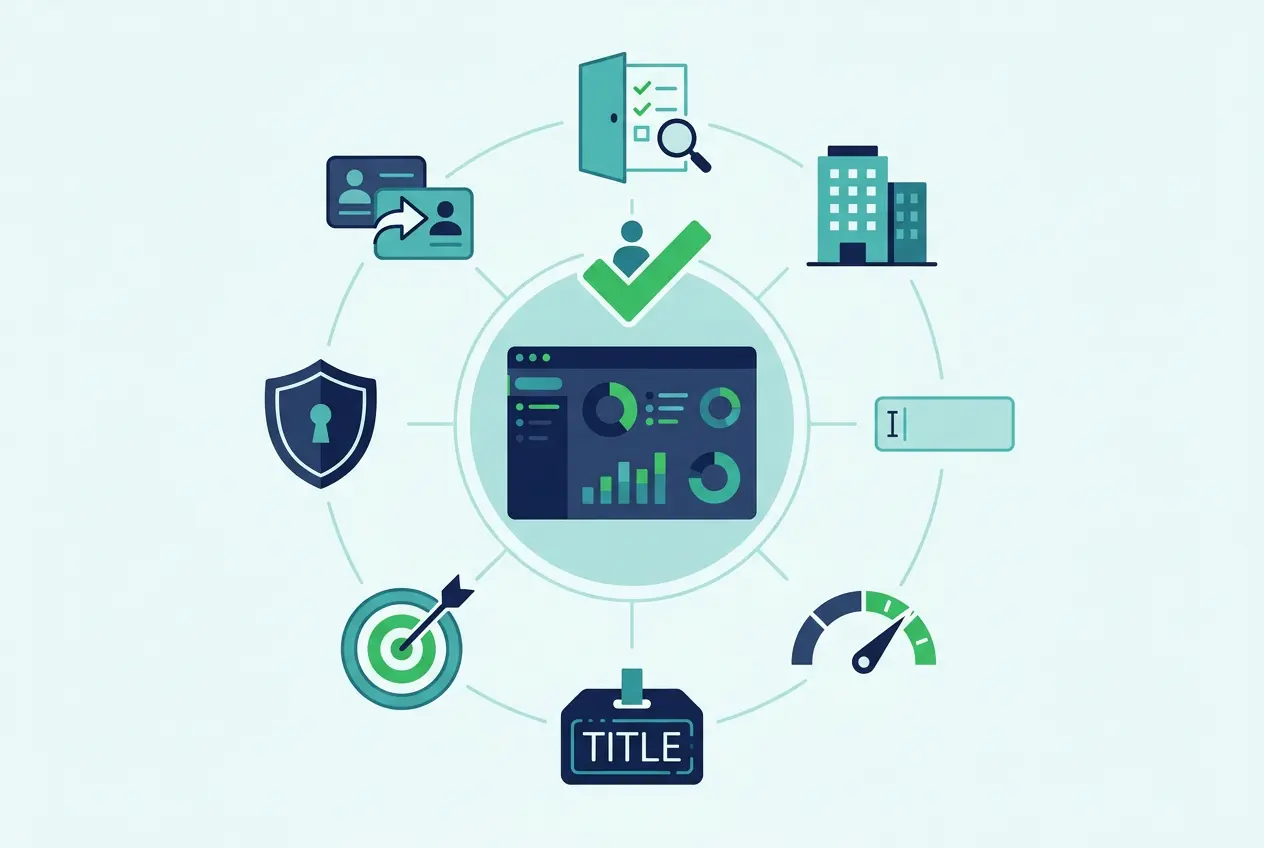
Contact duplicate detection
EazyMatch AI uses multi-field AI matching for contacts, comparing:
- Email address
- Similar names within the same company
- Partial name matches
- LinkedIn URL
- Mobile number
Each suggested pair shows which fields matched and which differed. For the background, see what fuzzy matching is and why AI matching is replacing rule-based deduplication.
Company duplicate detection
Companies are matched on LinkedIn company URL and website domain, which catches the same business stored under different names, such as "Acme", "Acme Ltd" and "Acme Limited". See how to deduplicate HubSpot companies and deals.
Missing data detection
Incomplete contacts and companies are flagged so you can complete or review them. Records missing the fields that drive routing, scoring and segmentation stop silently dropping out of your workflows..
Data quality scoring
Each scan produces a data quality score for your CRM: a single number for leadership and a baseline for every clean-up. Our post on CRM data quality benchmarks covers how to use it.
Job title standardisation
"VP Marketing", "Vice President, Marketing" and "VP of Mktg" are lined up as one role, so persona reports, segments and lead scoring based on job title work as intended.
ICP checks
Records are checked against your ideal customer profile, so you can see how much of your database matches the companies you actually want to sell to.
GDPR and data retention flags
Records that may be past your retention period are flagged for review, supporting the GDPR principles of accuracy and storage limitation. See the RevOps guide to CRM data governance.
Employment check
The employment check identifies contacts in your HubSpot or Pipedrive CRM who have moved on from the company on their record. It uses AI-powered online research to check whether each contact still works there, and flags those who appear to have left. This matters because people move often: US median tenure with a current employer was 3.9 years in January 2024, according to the US Bureau of Labor Statistics. For a step-by-step run-through, see the EazyMatch AI employment check walkthrough.
How EazyMatch AI Works
Every check follows the same four steps:
- 1. Connect your CRM. Link HubSpot or Pipedrive. Connecting does not change any data.
- 2. Run checks. Duplicates, missing data, scoring, job titles, ICP, GDPR retention and employment, in one scan.
- 3. Review suggestions. Each one shows its reasoning: matched fields, differences, flags.
- 4. Approve updates. Changes only go to your CRM after a person approves them.
Why Human Review Is Built In
Nothing in EazyMatch AI changes your CRM automatically. That is a deliberate design choice, not a missing feature.
A wrong merge combines two people's emails, meetings and deals into one record, and untangling it is far harder than leaving a duplicate alone. An incorrect update can overwrite good data. So EazyMatch AI does the work that is slow for people (scanning every record, matching across fields, researching what the CRM cannot see) and leaves the decisions to the people who know the accounts. It also keeps accountability for changes to personal data where it belongs: with your team.
Who EazyMatch AI Is For
- Sales ops and RevOps teams who own CRM data and the reports built on it
- CRM managers who want a repeatable routine rather than an annual clean-up project
- Marketing operations teams sending campaigns to lists that need to be clean
- Agencies managing HubSpot or Pipedrive for several clients
- Teams preparing for a migration who want to move data, not mess (see how to clean CRM data before a migration)
Common Use Cases
- Before a campaign: deduplicate lists and remove contacts who have left (see how to deduplicate HubSpot lists)
- After an import: catch duplicates the import created
- Before and after a migration or portal merge: clean the source, check the destination (see how to merge HubSpot portals)
- After sales team growth: clean up what new reps added
- Monthly routine: track the data quality score and fix what each scan finds
EazyMatch AI and Other Tools
EazyMatch AI is not the only option. HubSpot's and Pipedrive's native tools handle exact matches at no extra cost. Dedupely focuses on deduplication with configurable rules. Insycle is a broader data management platform for bulk operations. Each suits different needs, and we have compared them fairly in the best CRM deduplication tools in 2026, EazyMatch AI vs Dedupely and Insycle alternative.
EazyMatch AI is the right fit when your duplicates do not share an exact email, when you want duplicates, gaps, outdated contacts and retention in one scan, and when you want a person to approve every change. It supports HubSpot and Pipedrive.
Getting Started
The quickest way to see what EazyMatch AI would find is to run it on your own CRM. Start a free trial, connect HubSpot or Pipedrive, run your first scan and look at the suggestions. Nothing changes until you approve it.
Try EazyMatch AI free →
Connect your CRM and get your data quality score.
FAQ
Q: Which CRMs does EazyMatch AI support?
A: HubSpot and Pipedrive.
Q: Does EazyMatch AI change my CRM data automatically?
A: No. Every merge and update is reviewed and approved by a person before it syncs to your CRM.
Q: How is EazyMatch AI different from HubSpot's and Pipedrive's duplicate tools?
A: The native tools match on specific fields such as exact email. EazyMatch AI compares several fields at once, including LinkedIn URL, similar names within the same company, partial names and mobile number, so it finds duplicates that share no exact field.
Q: What does the EazyMatch AI employment check do?
A: It uses AI-powered online research to check whether each contact still works at the company listed in your CRM, and flags those who appear to have moved on for you to review.
Q: Is there a free trial?
A: Yes. You can try EazyMatch AI free and view pricing for paid plans.
One Record per Person. One Number for Quality.
EazyMatch AI brings duplicate detection, missing data, scoring, job titles, ICP, GDPR retention and employment checks together for HubSpot and Pipedrive, with a person approving every change. The result is a CRM your team can trust, and a score that shows it.
Want a guided walkthrough for your team?