

Pipedrive Merge Contacts for Deals
Most Pipedrive duplicate-cleanup advice focuses on contacts, and for good reason — that's usually where duplicates start. But a clean contact list doesn't guarantee a clean pipeline. A deal can be duplicated on its own, created twice against the same contact, imported twice from a spreadsheet, or split across two records when a lead comes in through both a form and a manual entry. When that happens, the standard advice to merge duplicate contacts doesn't touch the problem, because the contact record was never the issue.
Here's how duplicate deals actually happen in Pipedrive, how to find them, and where a Pipedrive merge contacts workflow does and doesn't help. For the contact-level version of this problem, see the complete guide to Pipedrive merge contacts.
Why Duplicate Deals Hide Behind Clean Contacts
Pipedrive ties deals to contacts, but the two are not deduplicated together. A single, correctly deduplicated contact can still have two, three, or more deal records attached to it — one from a webform submission, one a rep created manually after a call, and one imported from a legacy spreadsheet during onboarding. Each deal shows up separately in pipeline reports, even though only one of them reflects a real, current opportunity.
This is why a Pipedrive merge contacts pass, on its own, doesn't fully clean a pipeline. Deduplicating the contact only addresses one layer of the problem, and the deal-level duplication keeps inflating reports underneath it.
Where Pipedrive Merge Contacts Tools Fall Short on Deals
Pipedrive's native merge function works at the contact and organization level. There is no built-in equivalent for automatically detecting two deal records that represent the same opportunity — Pipedrive has no way to know that "Acme Ltd — Q3 renewal" and "Acme Limited renewal deal" are the same deal unless a rep notices and merges them manually, one pair at a time.
That manual process works at small scale. It breaks down once a pipeline holds hundreds of open deals across several reps, each of whom only sees their own patch of the board and has no visibility into whether a deal already exists elsewhere in the account.
How to Manually Find Duplicate Deals in Pipedrive
Until a duplicate deal is caught automatically, a manual audit is the fallback. A few checks catch most of the obvious cases:
- Filter by organization, sort by deal title — duplicate deals against the same company often have near-identical titles created weeks apart
- Check deals with no linked activity — a duplicate deal frequently sits untouched while the "real" one gets all the follow-up
- Cross-reference import batches — deals bulk-imported from a spreadsheet are a common source of duplicates against deals reps already created manually
- Review deals tied to a single contact — if a Pipedrive merge contacts pass surfaces a contact with multiple open deals, check whether those deals are genuinely different opportunities
This catches exact and near-exact matches. It does not catch a deal tied to one version of a contact record with an email address, and a second deal tied to a different version of that same contact identified only by a LinkedIn URL — because from a deal-list view, those look like two different, unrelated contacts entirely.
The Deal-Level Damage Duplicates Cause
A duplicated deal isn't just visual clutter. It inflates total pipeline value, distorts win rate (because one of the pair often gets marked lost while the other closes won for the same actual opportunity), and confuses forecasting models that weight deals by stage and age. A rep working the "real" deal has no way to know a duplicate exists unless they stumble on it, which means duplicate deals routinely survive an entire sales cycle untouched.
How EazyMatch AI Catches What Manual Review Misses
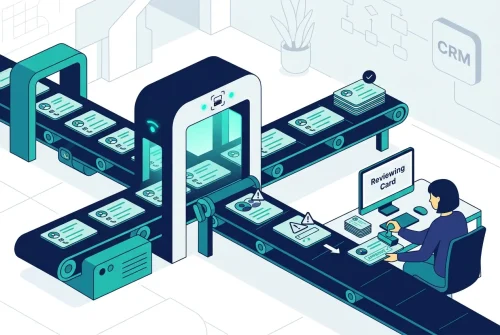
EazyMatch AI connects to Pipedrive and applies multi-field fuzzy matching across contacts and companies — checking email address, similar name within the same company, partial name match, LinkedIn URL, and mobile number, plus LinkedIn company URL and website domain at the company level. That's what makes it catch the case a Pipedrive merge contacts pass alone cannot: a contact that exists twice, once with an email and once with only a LinkedIn URL, with a separate deal attached to each version.
Once those underlying contact and company duplicates are surfaced and merged, the deals attached to them consolidate naturally, instead of sitting as two disconnected records that both look legitimate on their own. EazyMatch AI also scores overall data quality and flags incomplete records, so gaps that lead to future duplicate deals get caught before they happen, not after a quarter's worth of pipeline is already distorted.
Step 1: Connect your Pipedrive account
Step 2: Run checks across contacts and companies
Step 3: Review the queue, ranked by confidence
Step 4: Approve updates — nothing is automatic
Try EazyMatch AI free →
See how many duplicate contacts, and the deals attached to them, are sitting in your Pipedrive account right now.
FAQ
Q: Does merging duplicate contacts in Pipedrive also merge their deals?
A: Pipedrive's merge function moves deals from the losing record onto the surviving contact, but it won't merge two deals that are themselves duplicates — those still need to be identified and combined separately.
Q: What's the best way to prevent duplicate deals going forward?
A: Preventing the underlying duplicate contacts and companies removes most of the cause, since a large share of duplicate deals trace back to a deal being created against a "new" contact that was actually already in the CRM under a different email or LinkedIn URL.
Q: Will fixing duplicate deals affect deal history or reporting?
A: Not if it's done deliberately. Consolidating duplicate deals into one accurate record, with a clear review step before anything changes, corrects historical reporting rather than losing it — the goal is one accurate record, not two partial ones.
A Clean Pipeline Starts With Clean Contacts
Fixing duplicate deals one pair at a time is a losing exercise if the underlying contacts and companies keep generating new duplicates. Running a Pipedrive merge contacts pass with AI matching that catches partial-field matches — not just exact ones — closes the source of the problem instead of just cleaning up its symptoms.
Try EazyMatch AI free →
Connect Pipedrive and see your duplicate contacts, companies, and deals in one review queue.